Feature Enhancements:
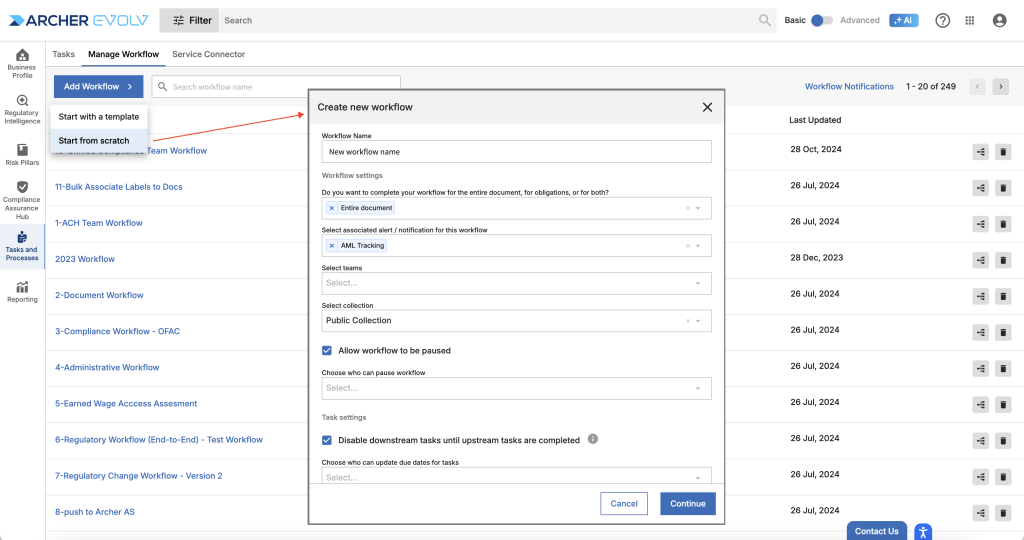
- Manage Workflow: We have redesigned the experience of creating and managing workflows to improve overall usability and performance. The new manage workflow experience provides a streamlined, step by step process, ensuring you can focus on the critical elements of creating your workflow and also review and update existing workflows at a glance.To create a workflow, access Manage Workflow, Add Workflow and Start with a template or Start from scratch. You will be asked to add workflow settings first, followed by adding tasks, entering Details, Participants, Annotations and Dependencies in sequence.
Create workflow – Establishing your workflow settings
Creating and reviewing workflow tasks
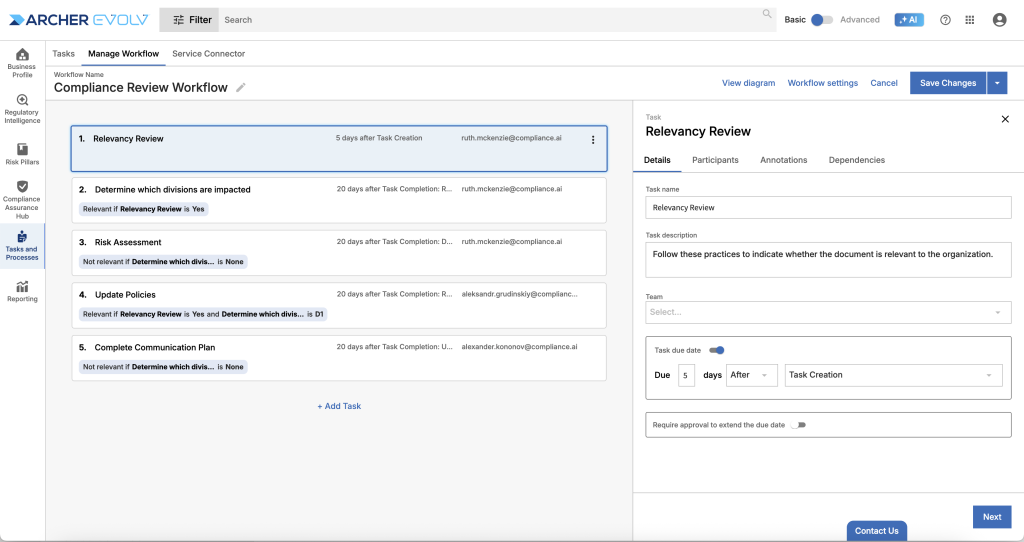
The refreshed experience is designed to help you transition to the new experience with ease, using familiar terminology, but providing a more efficient way to review your workflow as a whole. To review your workflow in the alternate diagram format, select View diagram.
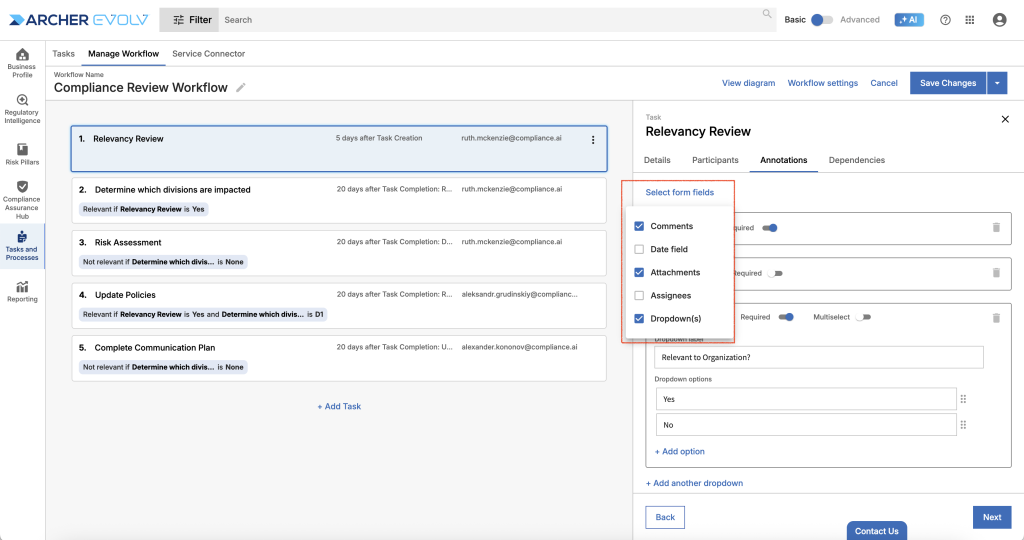
To edit a task, simply click on the task in the main frame and select logically named tabs to update task details. As you start to use the new task construct, be aware that you can turn on / off annotation types by accessing Annotations and selecting Form fields. Note that the commonly used Comments field is pre-selected for you, but you can remove it by clicking the trash can if you don’t want to enable comments in your task.
Editing a task – Annotations
Note that all of your existing workflows with all selected workflow settings, details, participants, annotations, and dependencies are unchanged, but are now presented in a new, easier to digest format.
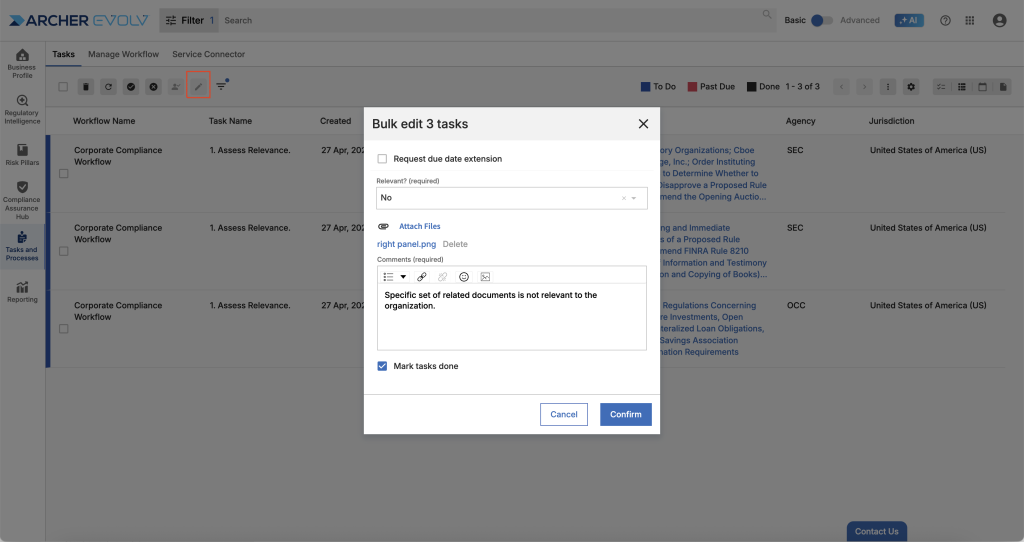
- Bulk Task Completion: Access the task list view to edit tasks in bulk. Simply search for a specific workflow and task, click the new edit tool, and complete a task template you can apply to multiple tasks. Bulk task completion is designed to allow you to complete the same task across multiple documents at once when there are common characteristics, for example, if you want to indicate that multiple multiple documents are not relevant to your organization, or you want to assess “sibling” documents the same way.
Bulk task completion
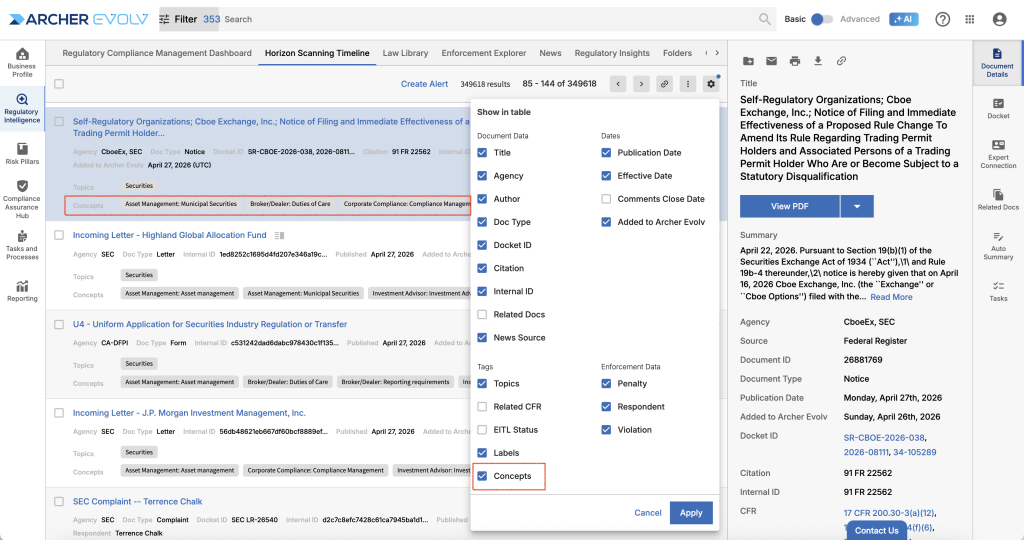
- Document Search Views: Timeline, Enforcement Explorer and News document review tables now include Concepts for a more comprehensive quick review experience. To add concepts to your views, click the settings gear wheel and select Concepts.
Concepts available in document search views
Bug Fixes:
- Workflow – Associated Alerts: Re-enabled display of associated alerts for specific workflows added to documents.
- Compliance Assurance Hub > Obligation Management: Resolved issues related to searching obligations by sentence ID.
- Tasks – List View: Backfilled agency and jurisdiction for tasks for the past year to ensure more accurate search results.
 April 15, 2026